
Running a bike rental business in 2025?
You’re riding the wave of a booming $5.54 billion bike rental industry, projected to hit $16.78 billion by 2030 with a 16.8% CAGR.
But let’s be real, chaotic bookings, short-term rentals, and gaps in your schedule can tank your profits. Enter WpRently’s Minimum and Maximum Day Addon for Booking and Rental Manager for WooCommerce. This powerful tool manages your operations, boosts revenue, and simplifies your life. Here’s why you need it, how it helps, and clear steps to get started.
Why You Need the Minimum and Maximum Day Addon
The bike rental market is booming; e-bikes alone account for a $5 billion segment, but inefficient bookings are a major issue. Short, one-day rentals create inventory bottlenecks, and overly long bookings can lock up your stock. Industry data indicates that poorly managed schedules can result in missed revenue opportunities, with up to 40% of locations having zero available bikes during peak hours. The Min/Max Day Addon fixes this by letting you set booking limits, ensuring your bikes stay rented for optimal durations.
Maximize Revenue: Enforcing minimum days (e.g., 2 days) encourages longer rentals, boosting income. Studies show optimizing minimum stay rules can increase revenue by about 17% annually in short-term rentals.
Prevent Gaps: Capping max days (e.g., 7 days) keeps bikes circulating, avoiding “orphan days” that leave inventory idle. This could lift fleet utilization rates by up to 67%.
Reduce Admin Hassle: Automated rules cut processing times by up to 50%, freeing you to focus on growth, like marketing or expanding your fleet.
Improve Customer Experience: Clear booking limits streamline the process, reducing no-shows and cancellations, which 23% of hospitality businesses cite as one of the biggest issues facing the sector.
How It Helps Your Bike Rental Business
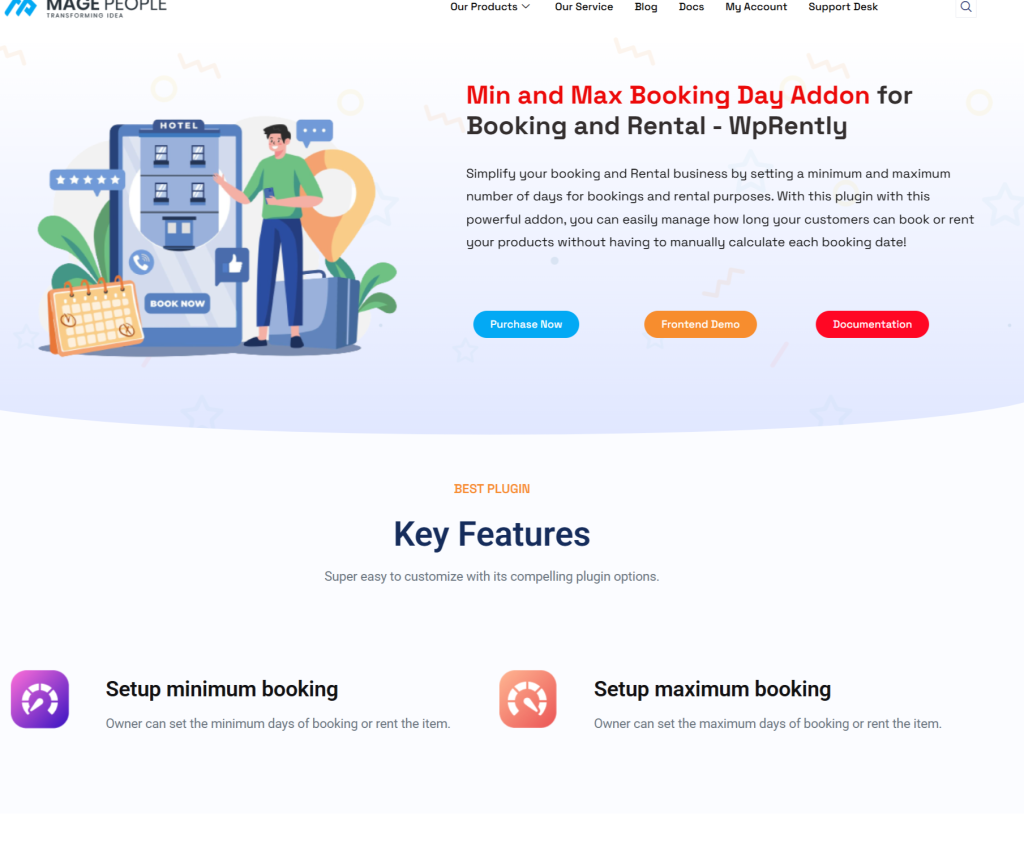
This minimum and maximum day addon, an extension for the Booking and Rental Manager for WooCommerce plugin, integrates seamlessly with your WordPress site. It’s affordable (starting at $25/year) and requires no coding.
Here’s how it transforms your operations:
Set Minimum Booking Days: Require at least 2-3 days for rentals to ensure profitability and reduce wear from quick turnovers, especially for e-bikes, which dominate 60% of the market.
Cap Maximum Booking Days: Limit rentals to, say, 7 days to maintain availability for high-demand seasons. This aligns with trends showing optimized schedules improve punctuality and customer satisfaction.
Per-Product Flexibility: Apply different rules for road bikes, e-bikes, or tandems. For example, set longer maxes for touring e-bikes to cater to vacationers.
Seamless WooCommerce Integration: The addon enhances your booking calendar and form, graying out invalid dates to guide customers effortlessly.
The result? Businesses using similar tools saw a 46% increase in total bookings and a 15% revenue increase within months, with occupancy rates climbing to 85% during peak seasons. Industry reports back this up: tools like this can boost efficiency and profitability in a market growing to $11.65 billion by 2033.
Step-by-Step: How to Set It Up
Ready to level up?
Here’s how to implement the addon in under 30 minutes:
- Install the Core Plugin: Download the free Booking and Rental Manager for WooCommerce from WordPress.org. Activate it and set up your bikes as “rental” products with prices and calendars.
You can learn about WpRently’s installation and configuration from its official documentation.
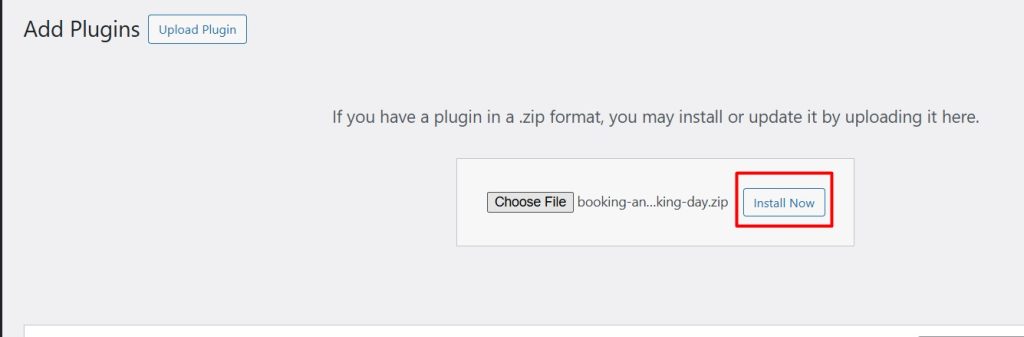
- Get the Addon: Visit mage-people.com and purchase the Min/Max Day Addon (the $99 lifetime single-site plan is great for small shops). Upload and activate it in WordPress.

- Configure Rules: In Dashboard, go to the rent item. and select Multi day Bike rental from the list and click Edit.
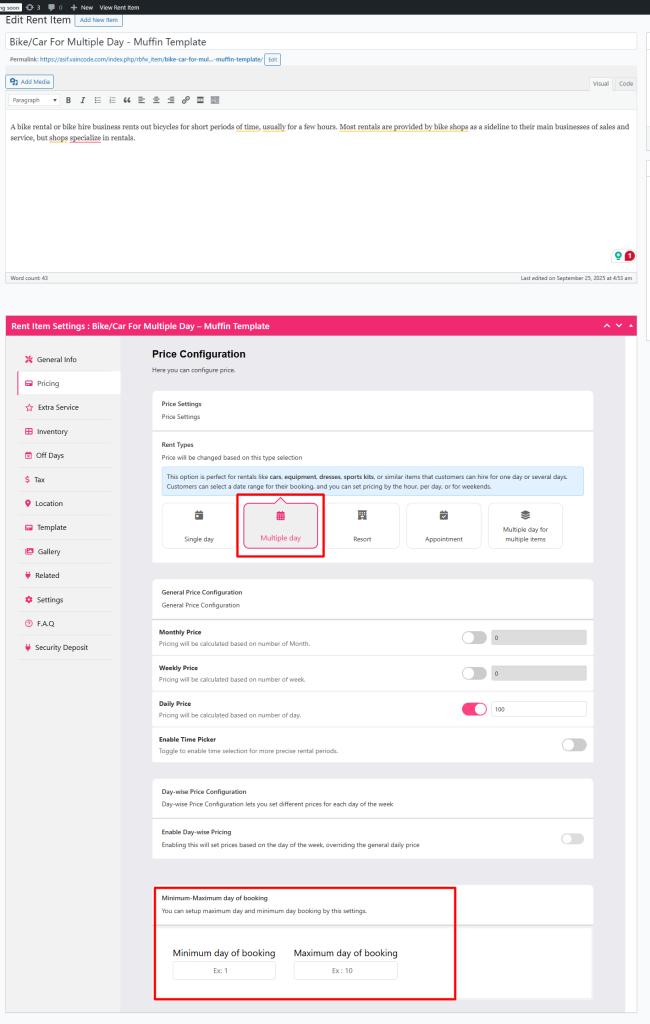
- Go to Pricing tab and select Rent type as Multiple and then scroll down to Minimum Maximum day of booking section.
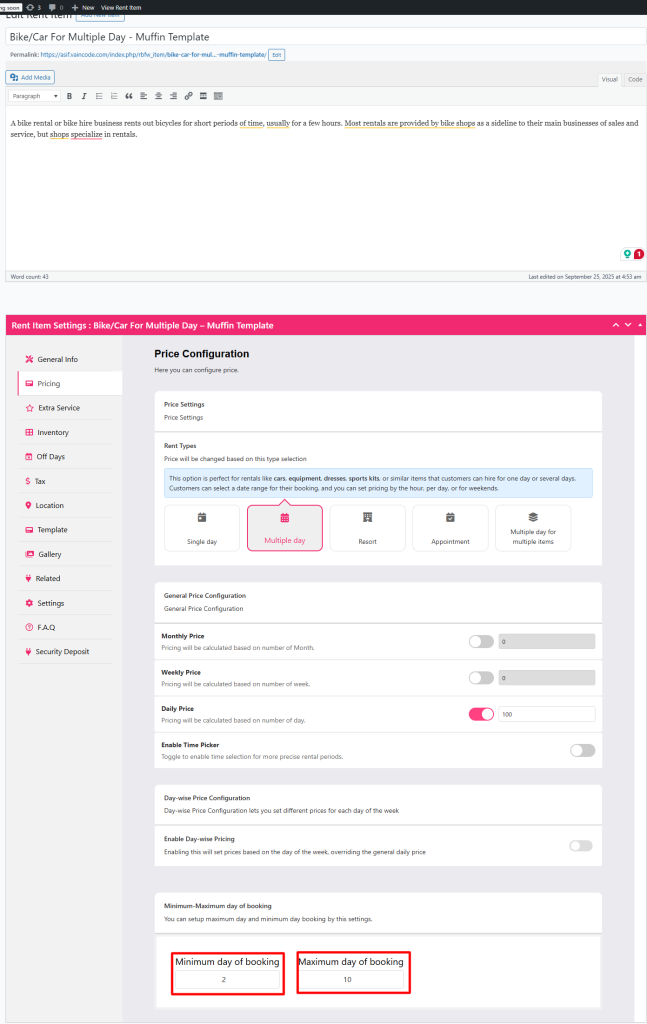
- Set minimum days (e.g., 2 for weekdays) and maximum days (e.g., 10 for e-bikes). Apply globally or per bike type.
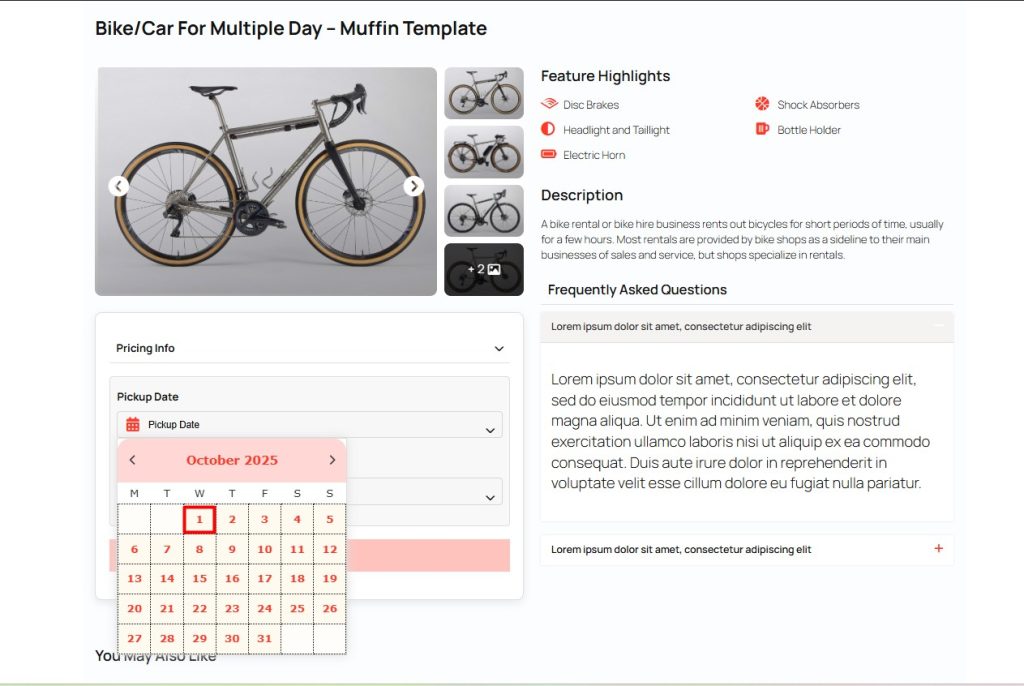
- At first check the front end normal calendar before applying min and max days, you will find every day is available for booking.
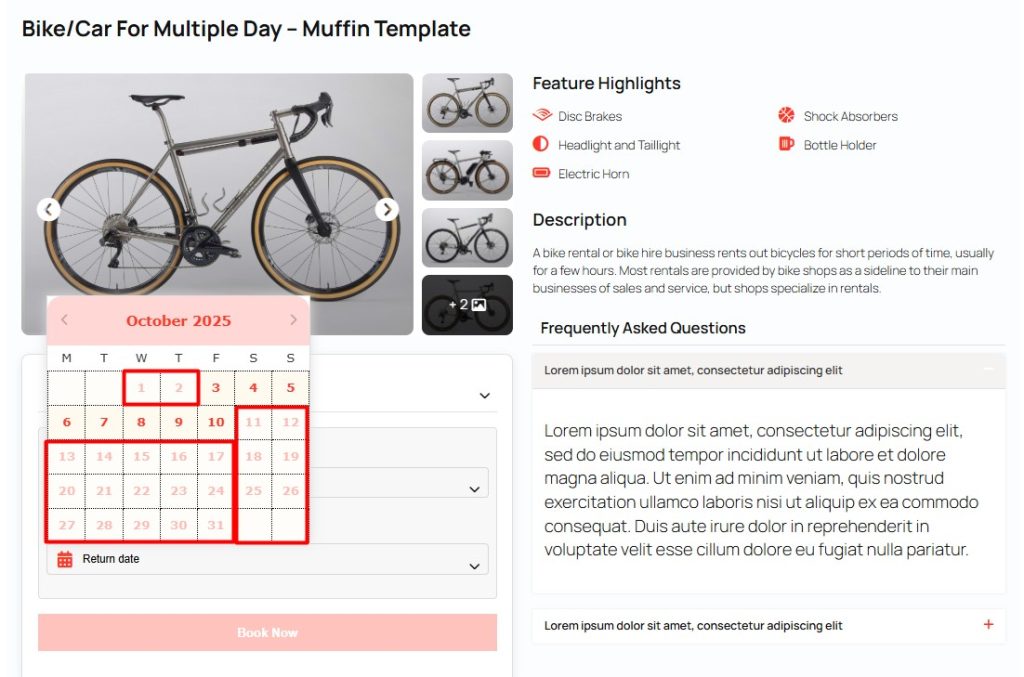
- Test the Booking Form: Check your site’s frontend. The calendar auto-enforces your rules, and invalid dates are blocked, making bookings foolproof.
- Track Results: Use WooCommerce analytics to monitor rental lengths and revenue. Tweak rules based on demand (e.g., stricter mins during peak season).
Why Act Now?
The bike rental industry is on fire, with the US market growing at 16.2% annually. But without smart tools, you’re leaving money on the table. WpRently’s Min/Max Day Addon is a low-cost, high-impact solution that delivers results fast. Plus, it comes with a 7-day satisfaction guarantee. If it doesn’t work as promised, you’re covered.
Don’t let messy bookings slow you down. Head to mage-people.com, grab the addon, and watch your bike rental business thrive. Questions? Drop them below—I’m all ears!
Frequently Asked Questions (FAQ)
Got questions? We’ve got the answers, straight from real-world use and official docs.