
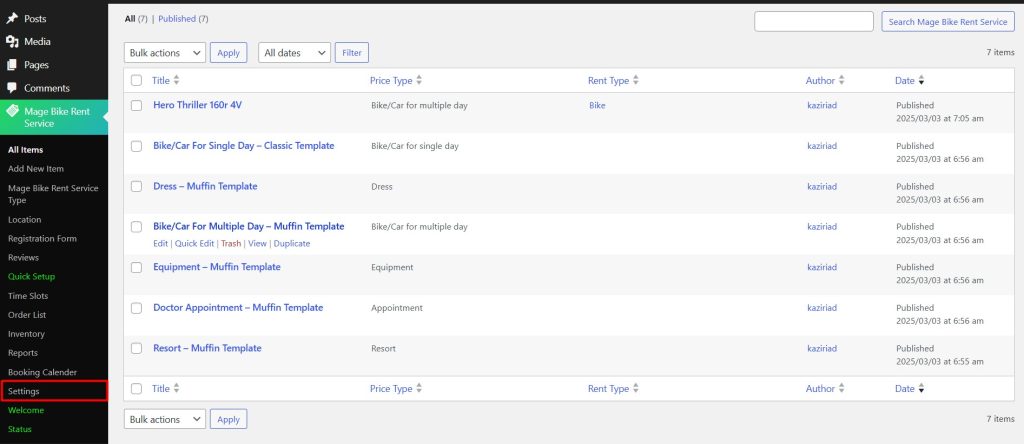
To configure your Rental system globally, navigate to the Settings option under your WpRently plugin.
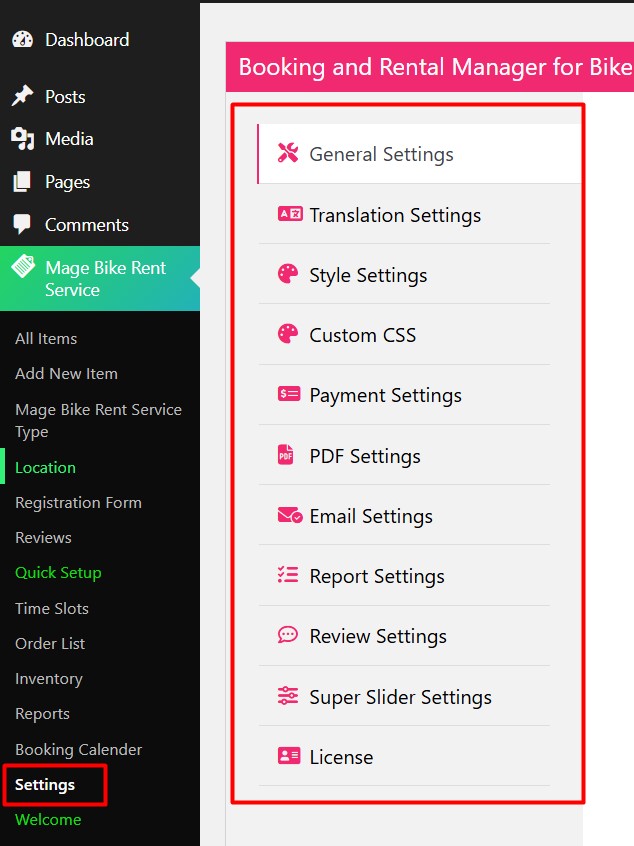
Once you click on the Settings option, You get a list of tabs for configuring your Rental system.
- General Settings – Here you can configure all the general configuration of your rental items.
- Translations Settings – You can change the field label into your own language here.
- Style Settings – Here you can change the color of the Rental System globally.
- Custom CSS – You can add custom CSS code globally.
- Payment Settings – You can configure the payment system for your rental service.
- PDF Settings – You can configure the PDF invoice here.
- Email Settings – You can configure your email for your rental service.
- Report Settings – You can control to enable or disable fields on the report for the rental service here.
- Super Slider Settings – You can configure slider settings here.
- License – You can add a license key from this tab.


