
The settings tab is only use to display stock quantity, enabling shipping and display Add to cart from any page using shortcode.
To display inventory, you need to Navigate to the Settings tab
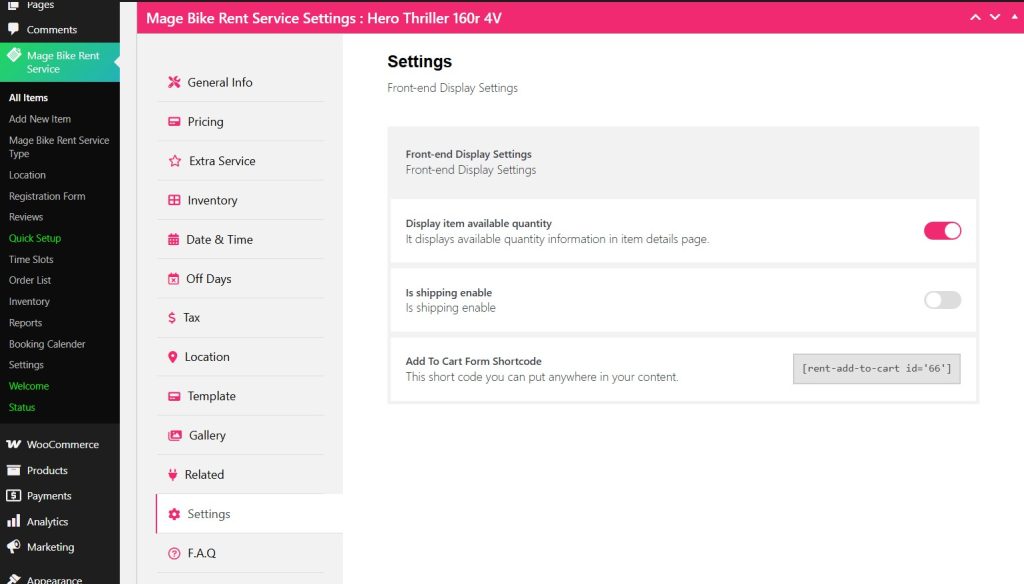
Now to display your quantity box on the front end, toggle the Display Item Available Quantity.
Then click Update and check your front end.
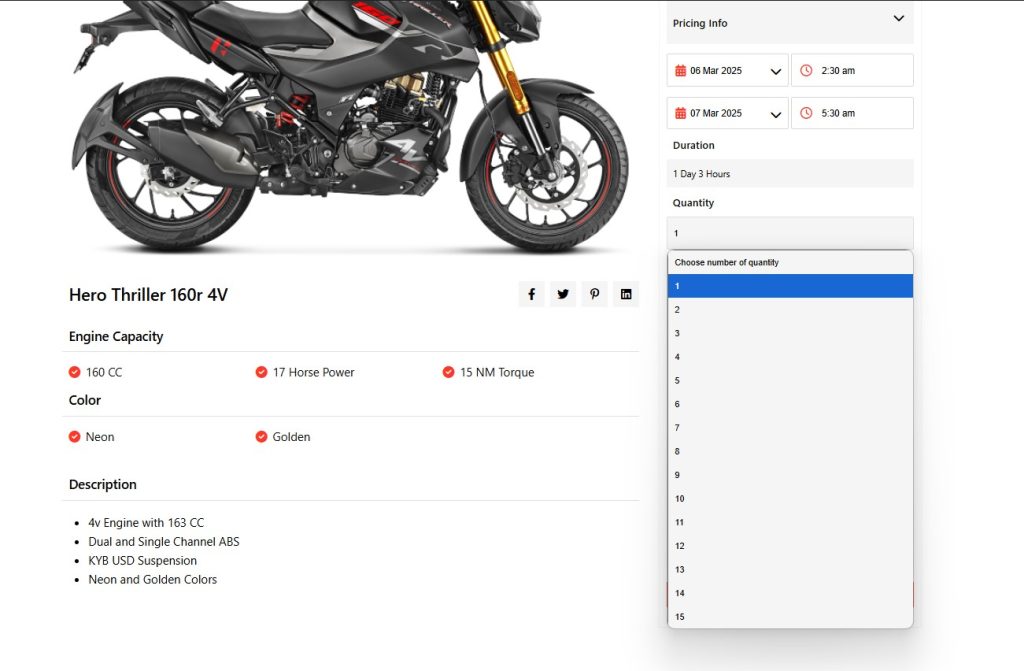
Well, you can see how Quantity is displayed in a drop-down way.
Now there is another toggle to enable shipping for your rental service.
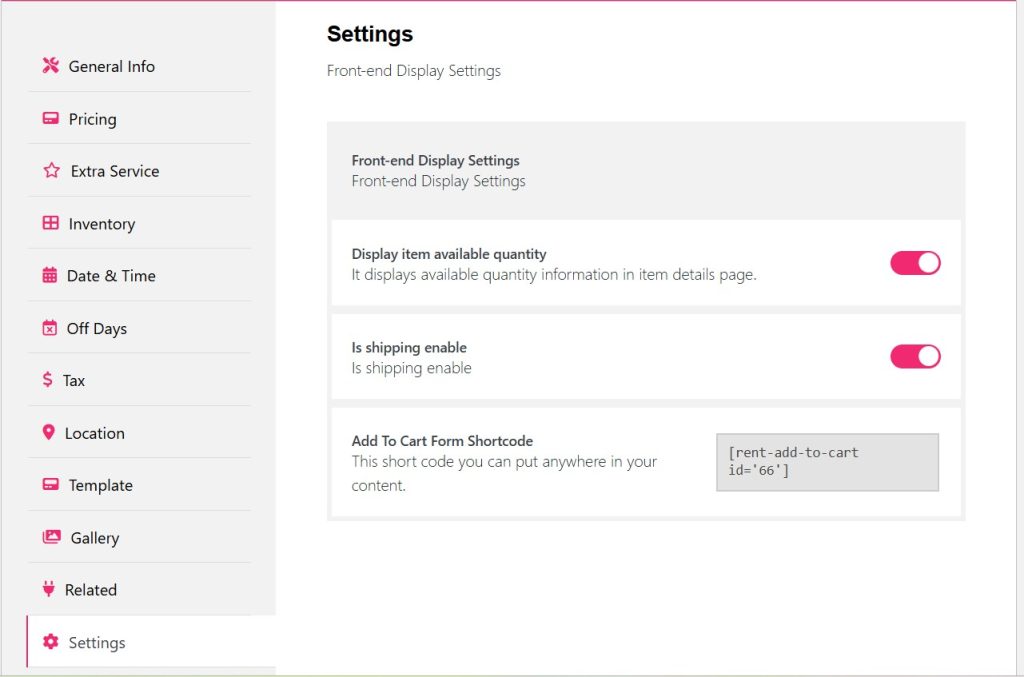
After toggle Is shipping enable, you need to configure Shipping from WooCommerce settings.
For that you can check WooCommerce Shipping documentation.
After configuring, click Update and see the changes.
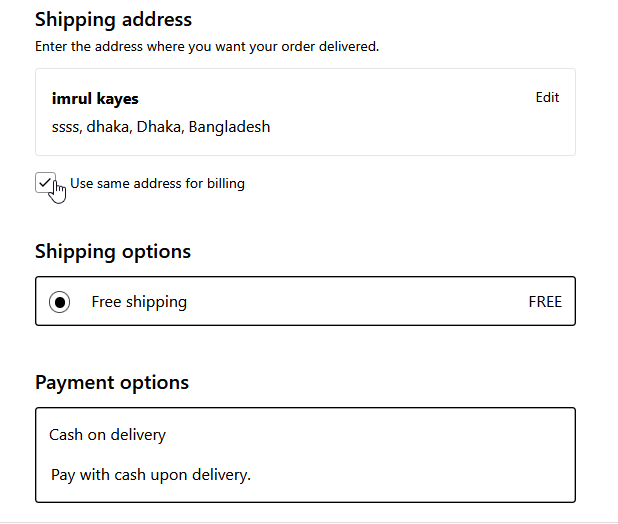
Well, you can see the shipping is showing during checkout.
Now if you want to display your Rental item add to cart, you can copy the shortcode and display to any page using shortcode block and paste the code their and update it.


