
If you want to offer discounts to your customers for more than one-day rentals, you need to get a Pricing discount over X day Addon for Rental and Booking Plugin.
To enable it go to Pricing discount over X day Addon for Rental and Booking Plugin.
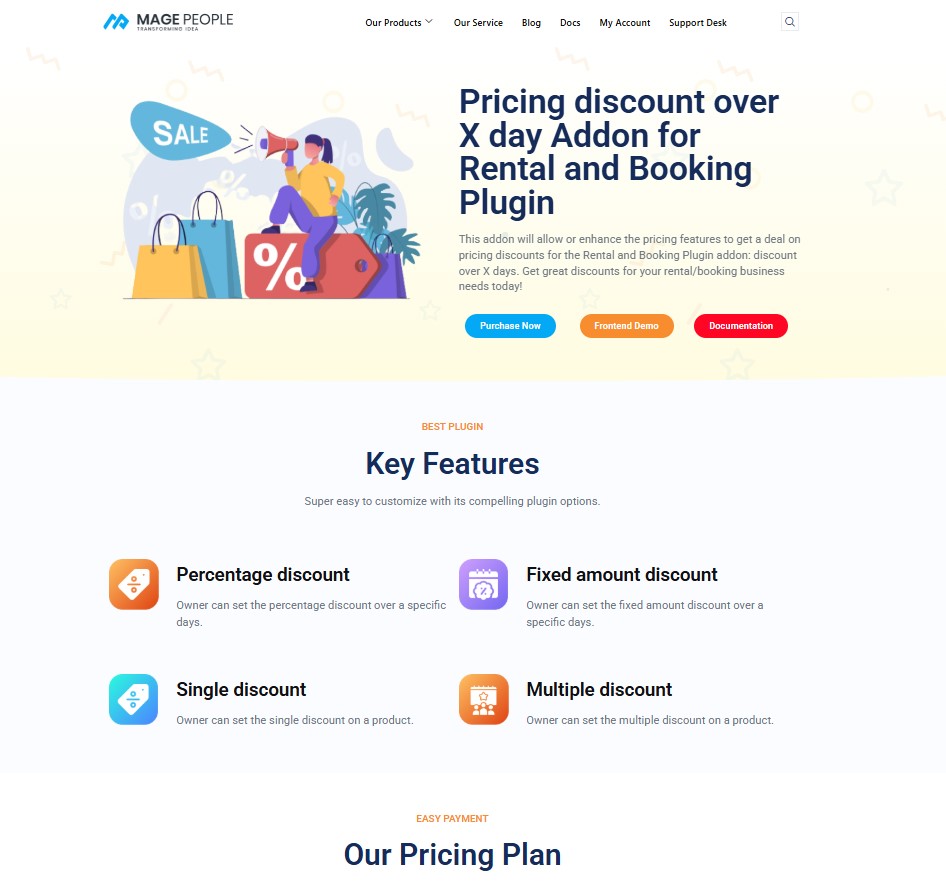
Click the Purchase Now button.
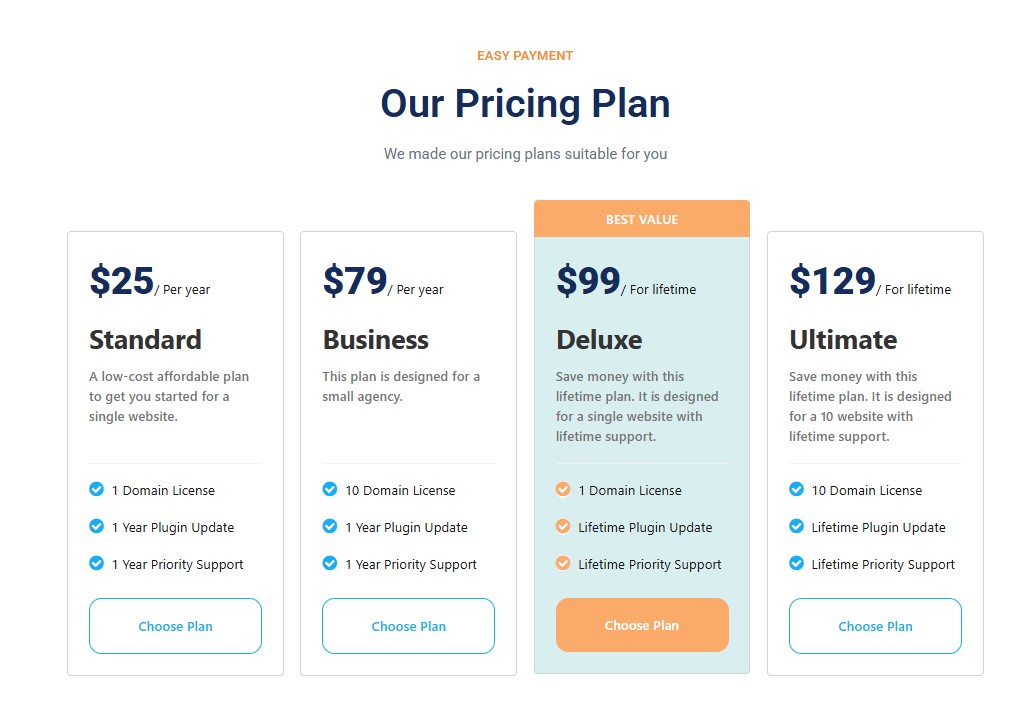
Select your preferred plan and pay with ease.
You will get your addon download link shortly.
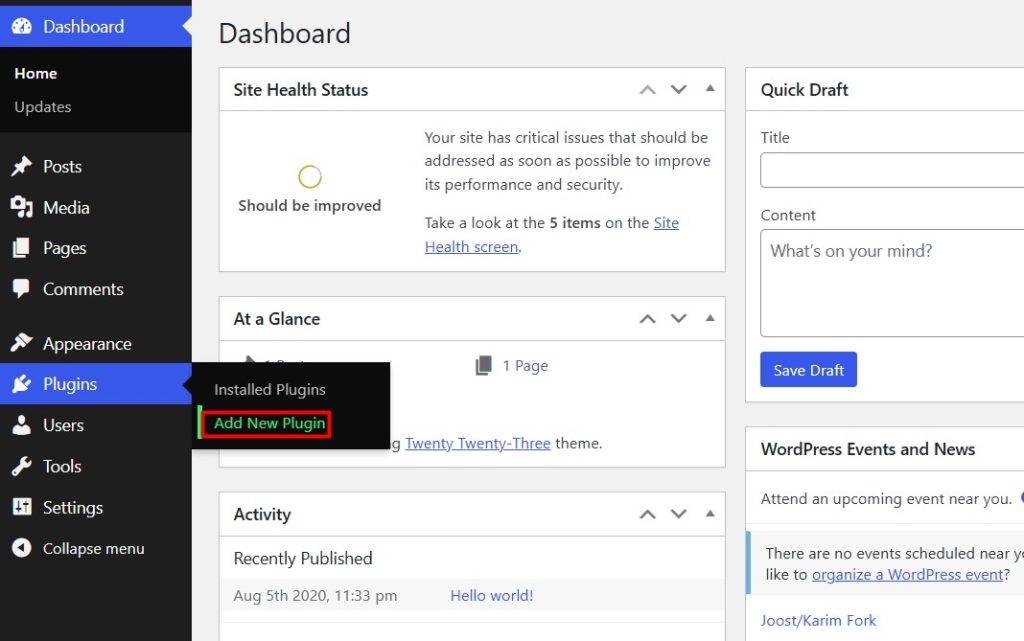
Now go to the WordPress dashboard of your Rental system and click Plugins -> Add New Plugin.
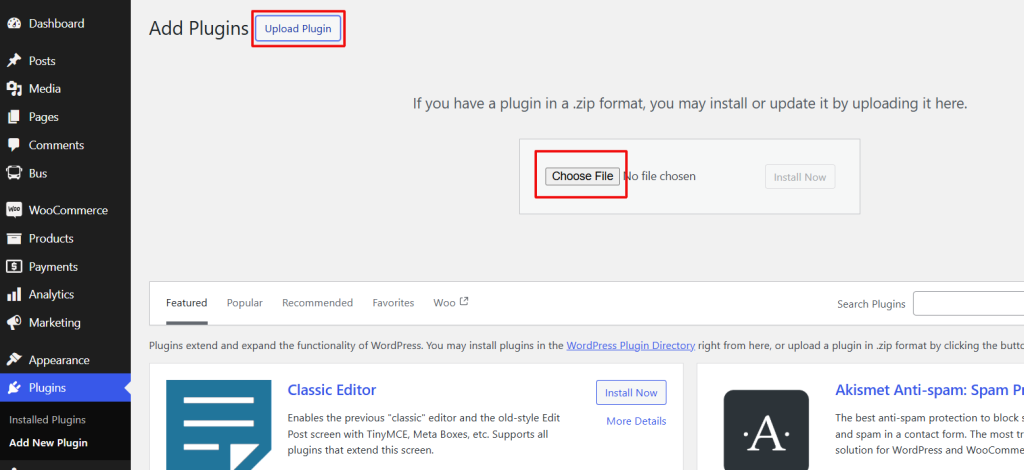
Click Upload Plugin again, and click the Choose File button.
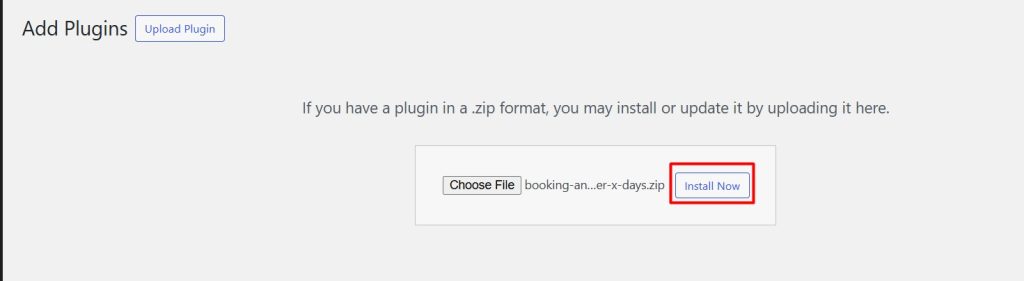
select the Over_x addons zip file, and click Install Now.
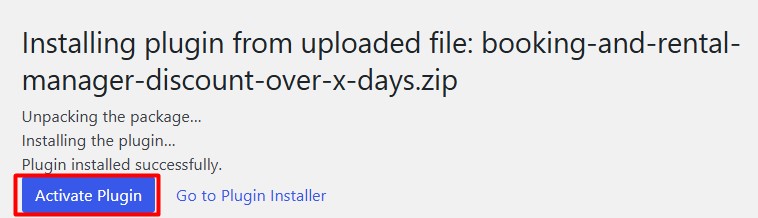
After installing the addon, Click Activate Plugin.
After activation, go to any of your Rental Item settings.
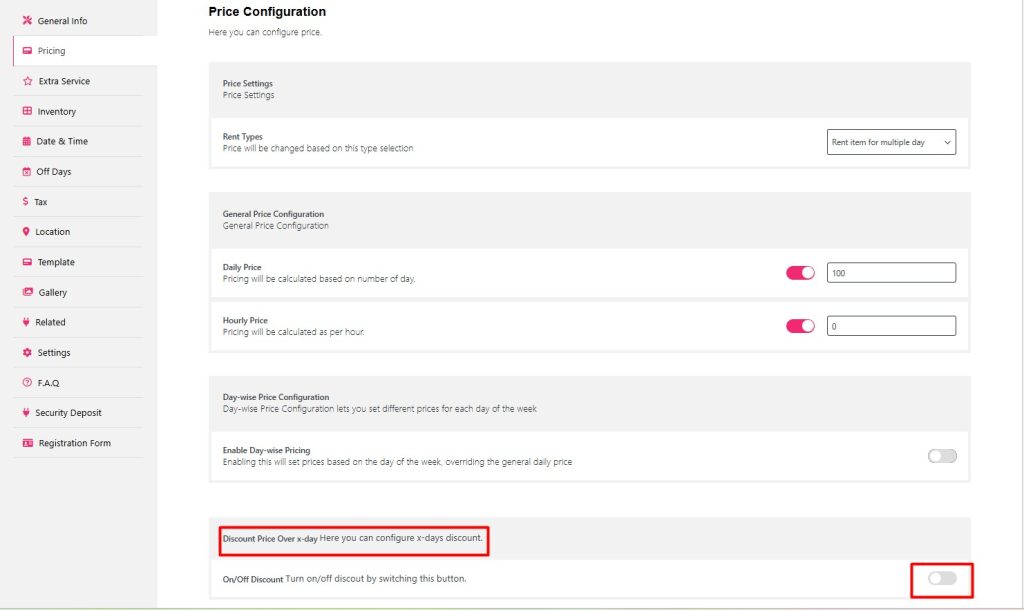
Scroll down below and you will find Discount Price Over x-Days settings.
Toggle the button.
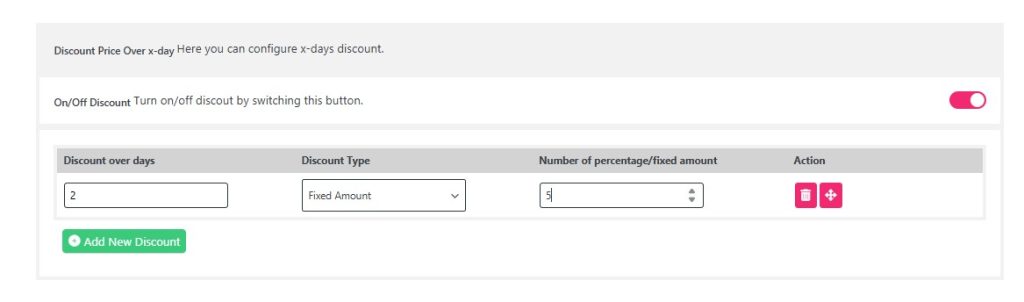
New fields will appear to add your discounts.
Add your Discount over days, Discount Type and Number of percentage/fixed amount.
If you want you can add more Discounts over X days by clicking Add New Discount.
Once you are done adding the discount, click Update and check if it is working on the front end or not.
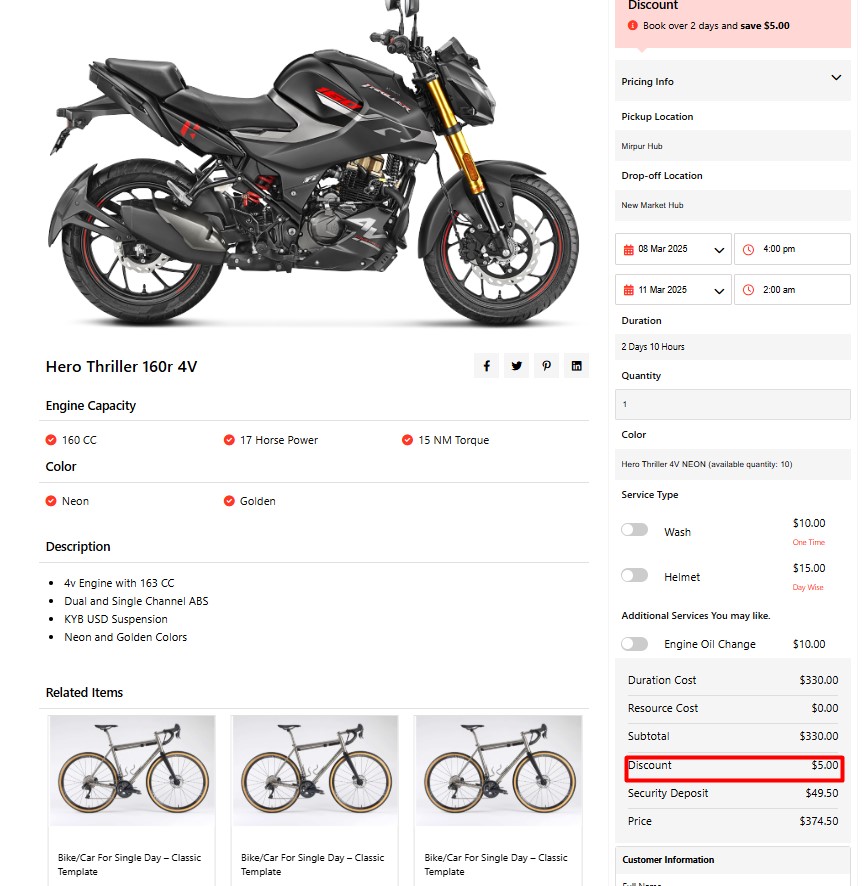
As you can see the discount is working perfectly after booking more than over x days.


