
Before adding a new Rent Item, you need to create a Rent type or you can use an existing Rent type.
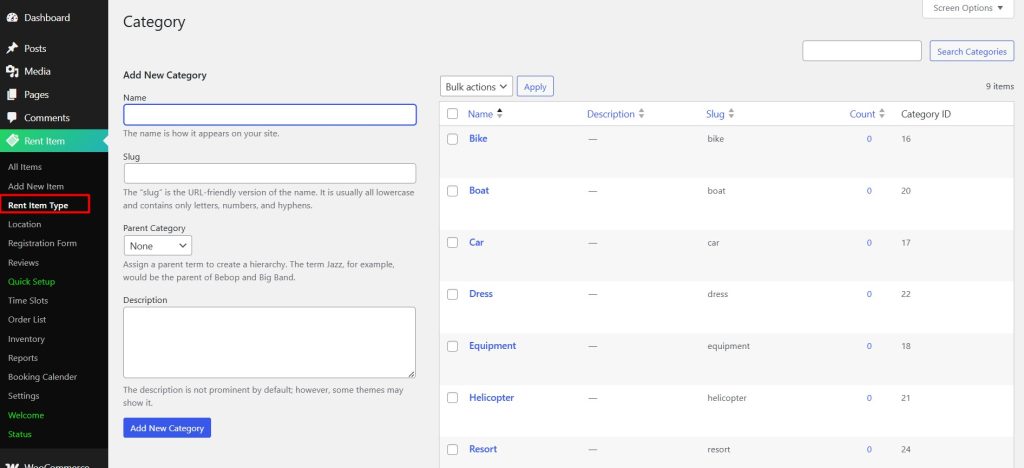
Rent Type is adding a new category.
To add a new Rent Item Type, follow Rent Item > Rent Item Type
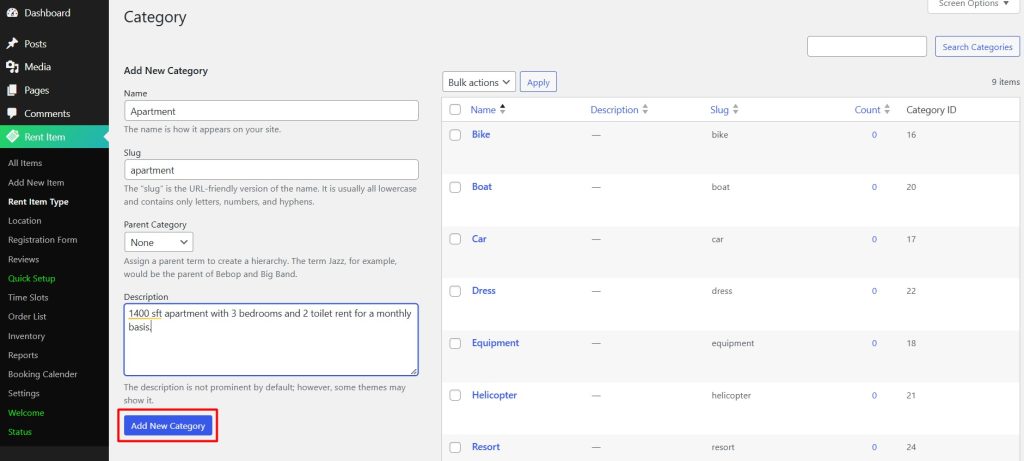
Then Type the Name of the Rent Type, Slug of the Rent Type, select the Parent Category or keep it as None, and add a description.
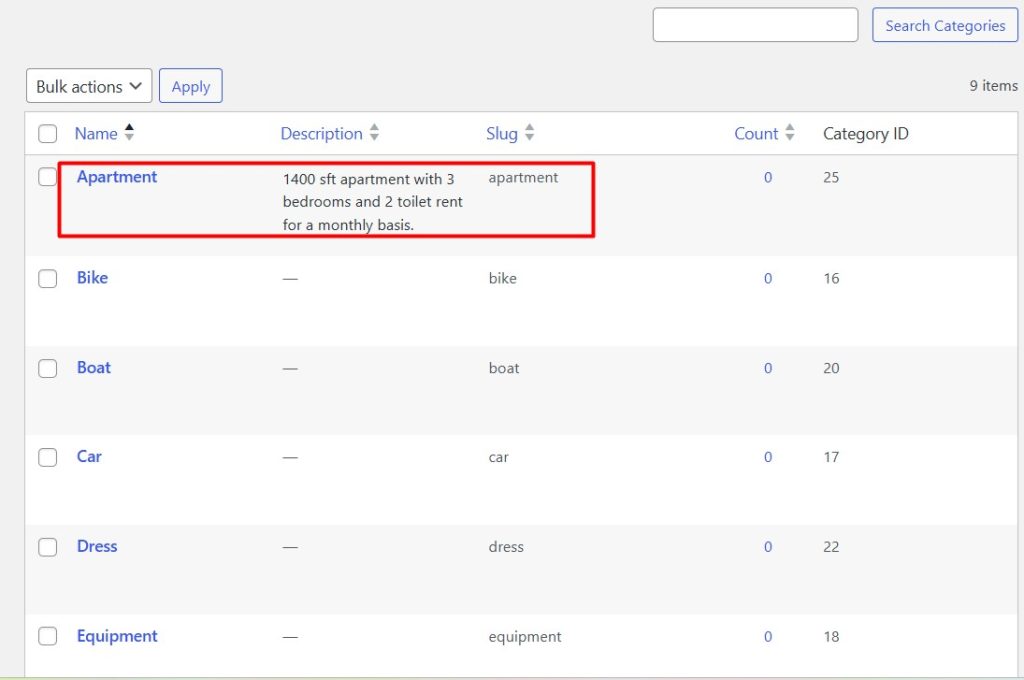
Once you are done, click the Add New Category button and your new Rent Item Type will appear on the right.


