
Before adding a new Rent Item, make sure your locations are added for Pickup and Drop off.
To add a new location simply follow, Rent Item > Location
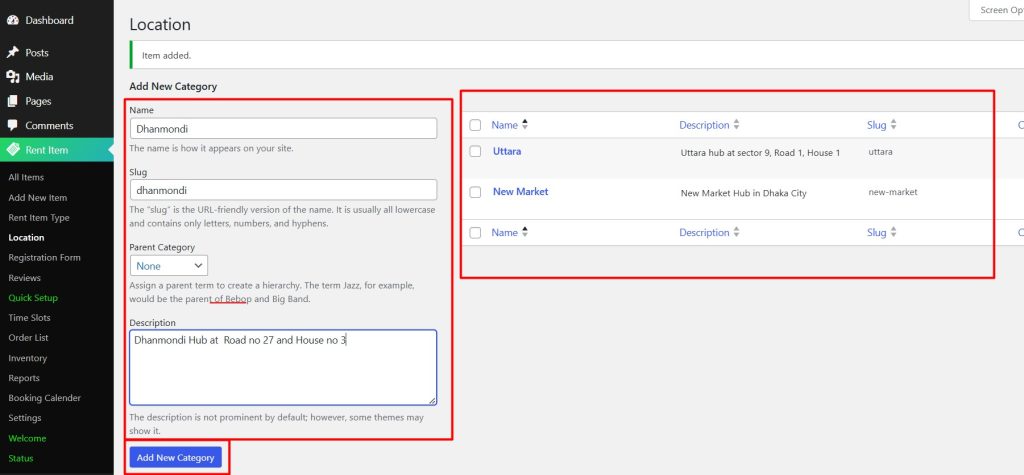
You will find that all the locations that were created before are displayed at the right.
Type your Location name, slug, parent category if needed, and description, and click the Add New Category button.
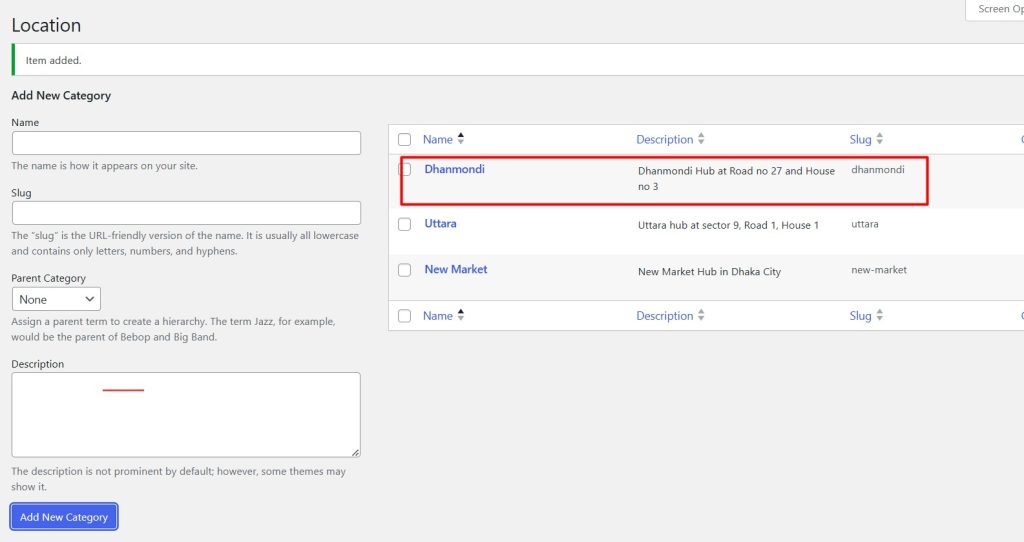
You can find the new location listed on the right.


