
When you give rent to someone, your tenant will need to fill up a form with all the details before taking the service.
You can also add a new form using WpRently.
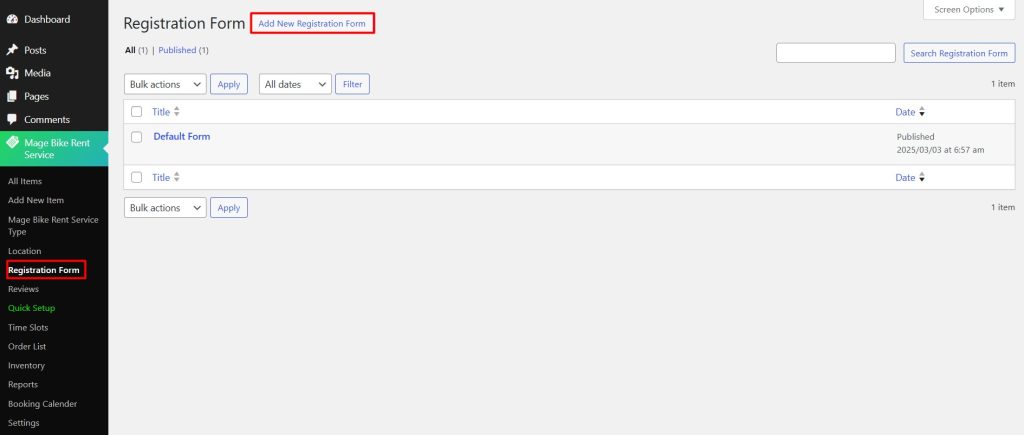
To add a form, simply move to your Registration Form option just below the Location option.
There is already a default form built in, but to create a new one, click Add New Registration Form button.
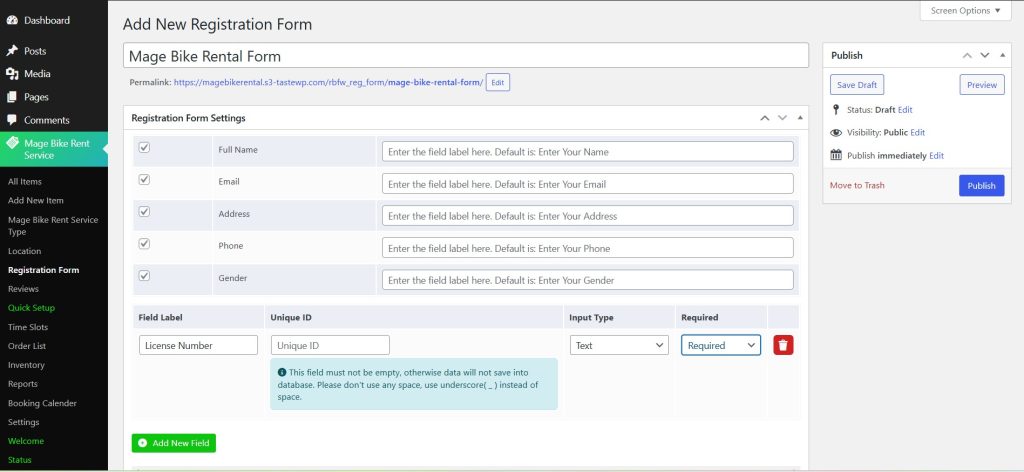
You can see that there are already some fields that have been added.
You can add a new field by clicking the Add New Field button.
Type the Field Label, give a Unique ID, and select the Input Type as Text, Radio Box, Text Area, or any available type.
You can select Required and Not Required to make sure this field is mandatory or not.
Now click Update.
To see the Form working, you need to add the form to your rental item.


