
Under the Date & Time tab, you have Date Configuration.
Toggle the Time slot and from the Available Time Slot add your times.
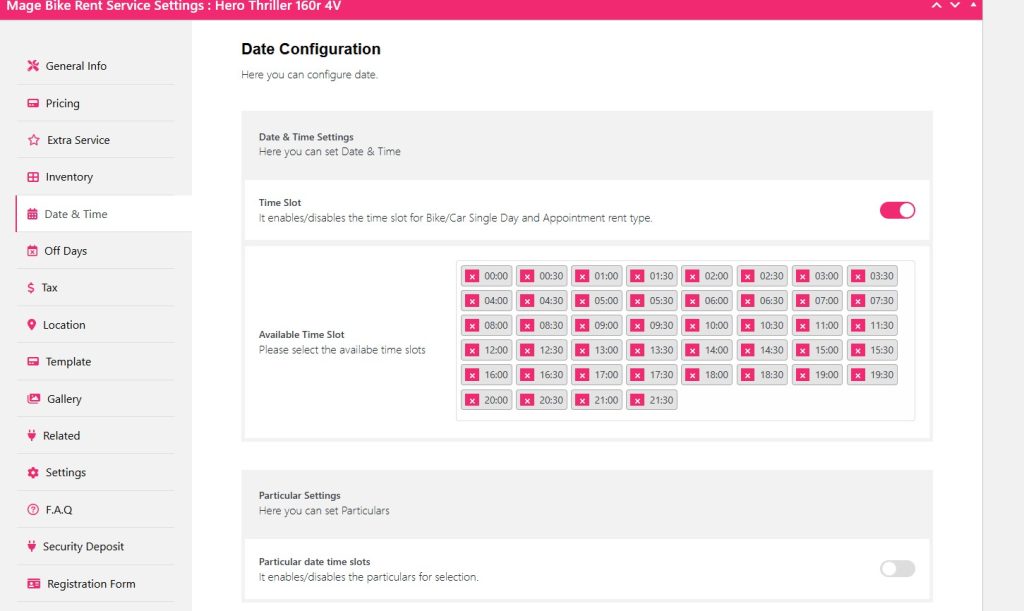
If you don’t add and enable the time slot, your pickup time won’t show on the front end.
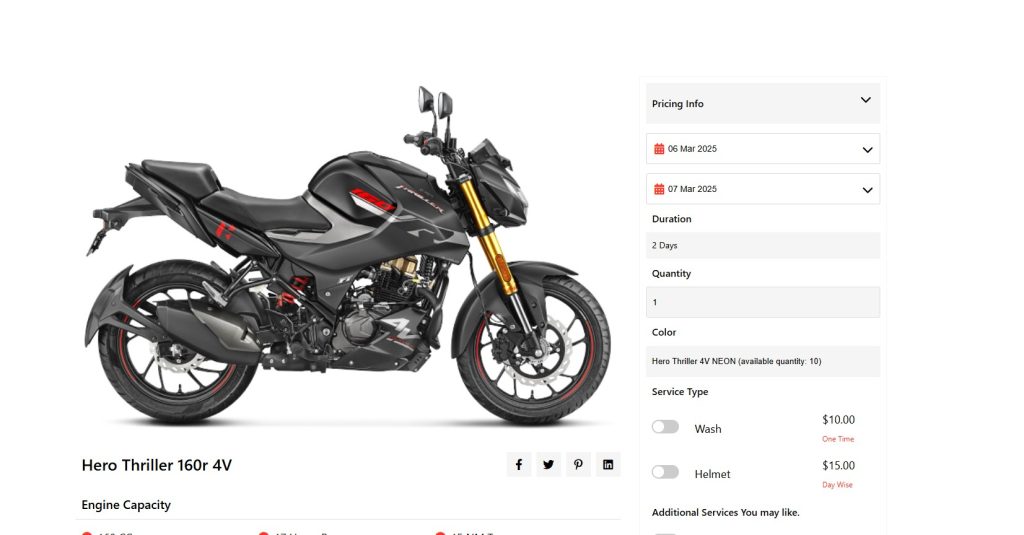
Now click Update and check your Item at the front end.
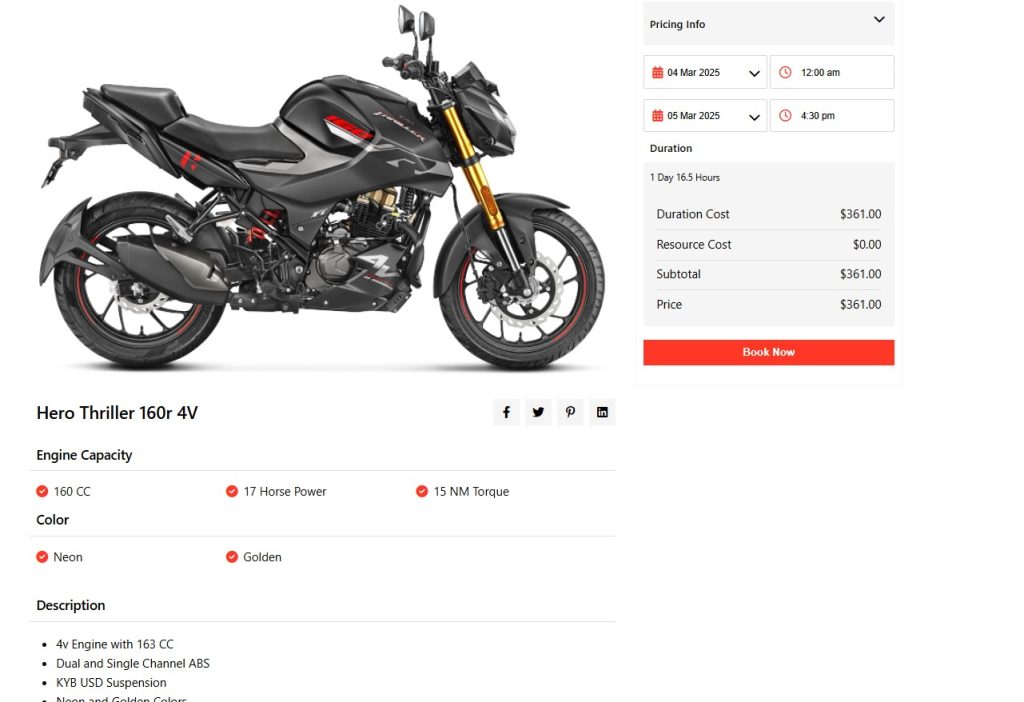
Well, you can see the front end, where you choose a date and pickup time and return date and return time.
Based on that the price is calculated as you have given for that specific day and time.
To set a particular time slot for a specific date, you can look into the Particular Settings.
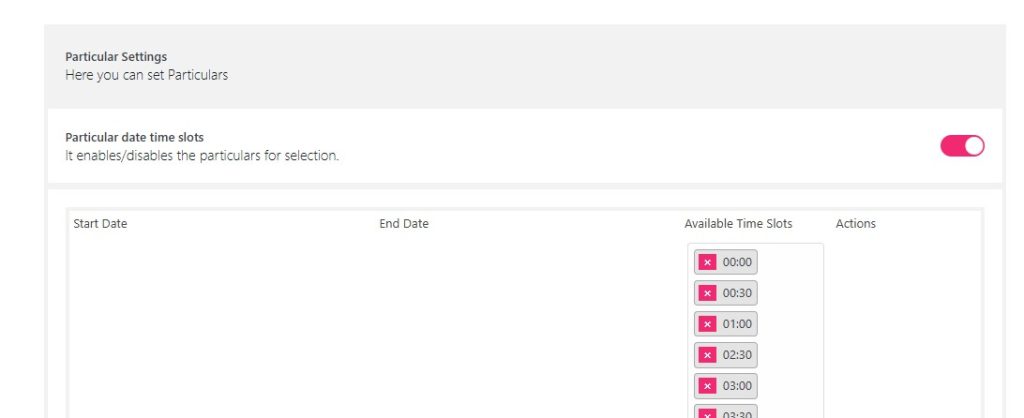
Simply toggle the Particular date time slots.
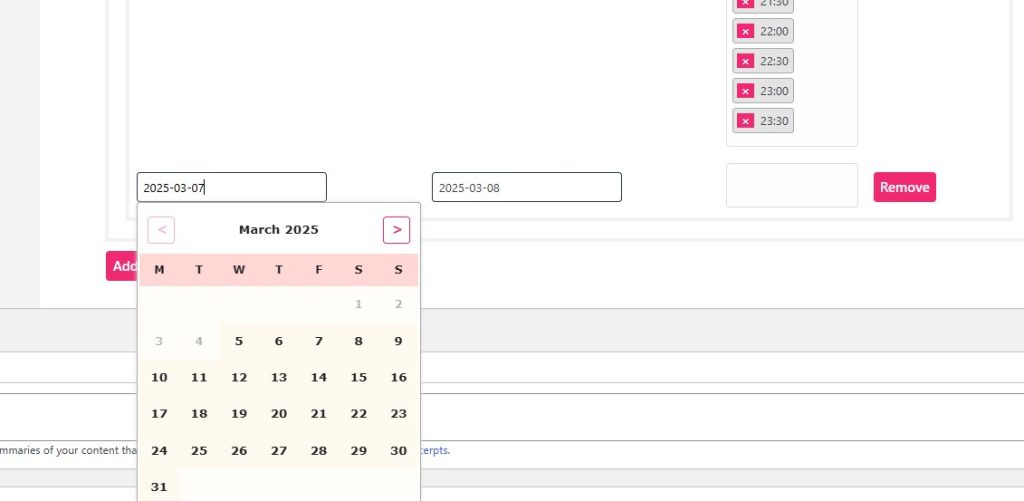
Select your start date and end date.
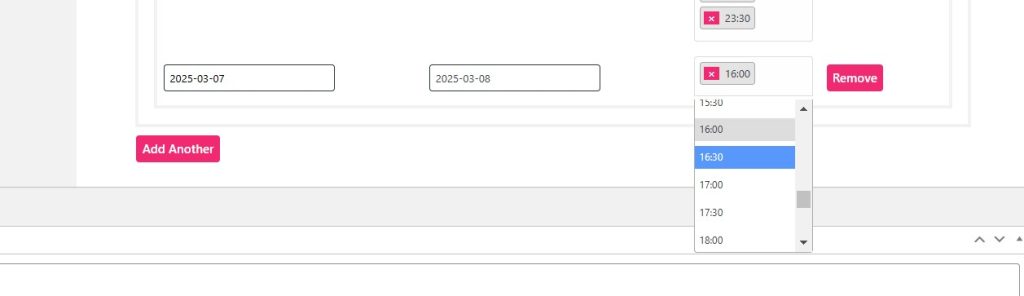
Choose your specific time and click Update.
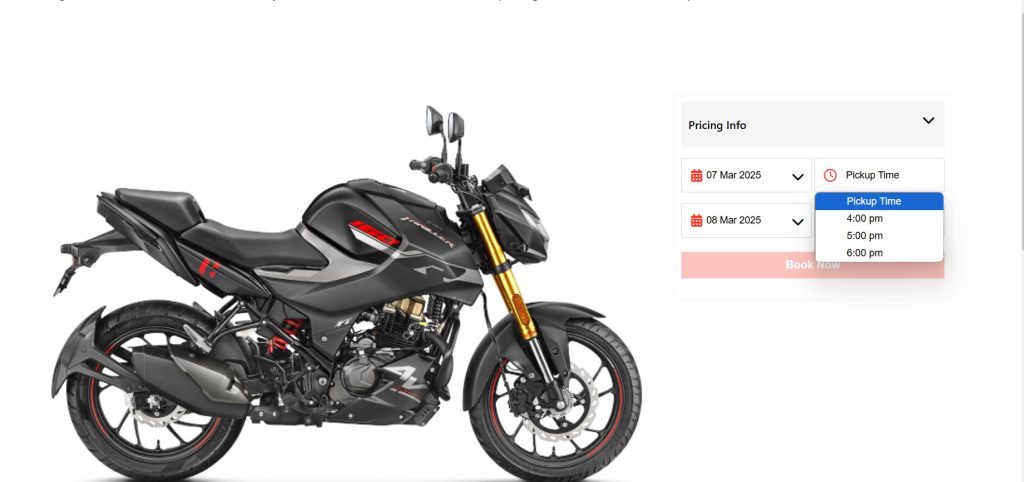
On the front end, you can see that for the specified date, the particular time slot is displaying.


