
Once you have added your rental item, you will need to add other settings.
For that simply scroll down below and you will find all the service settings for your rental item.
There are many settings and the General Info tab has the general settings for basic info about a rental item.
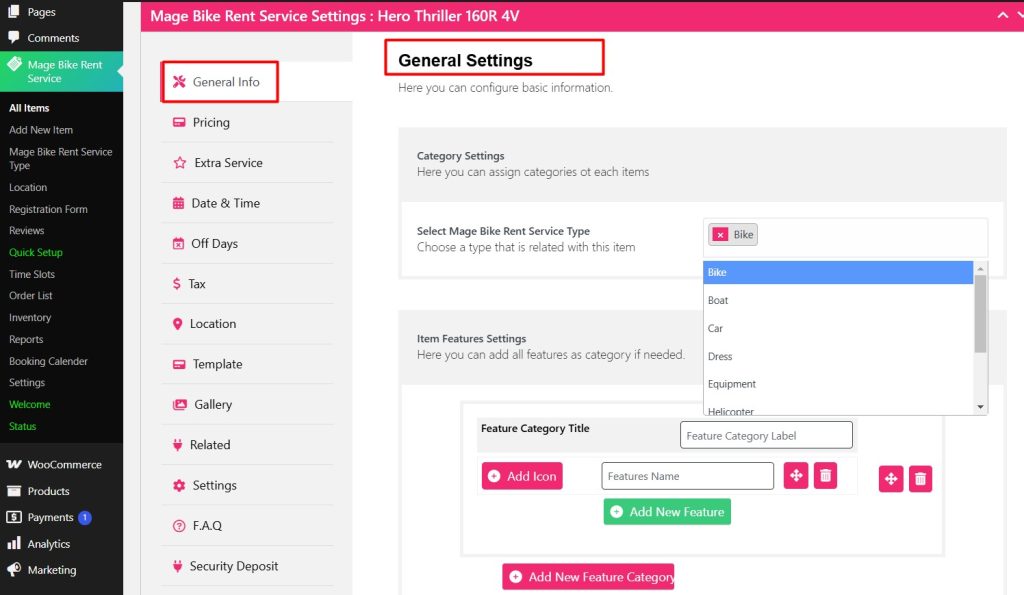
Select the type of rental item from the rental service type, for example, this is a bike rental service so Bike is selected here.
After selecting the rental type, you can add features for the item.
For example, you are adding a motorcycle rental item with a bike type and for that motorcycle, you can display its features.
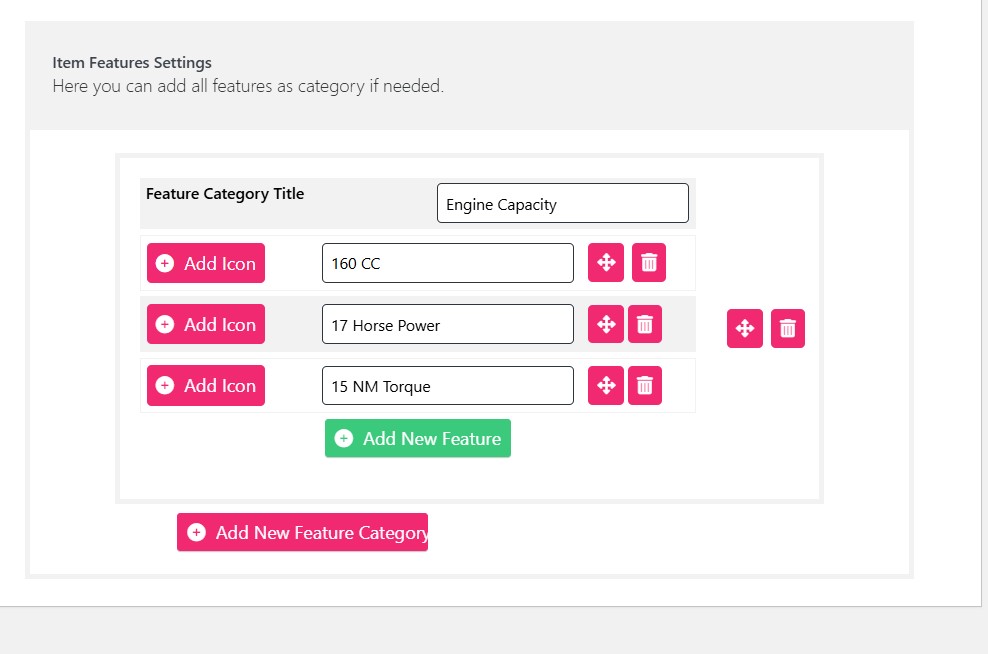
You can add more features by clicking the Add New Feature Category button.
Once you are finished adding the features, you can click the Update button on the right and save the new changes.


